Product
Attendance you can trust, without stopping class.
Eight seconds for the student. Sessions that close themselves. A live record for the professor and the institution.
Student check-in
Scan, tap, done.
A rotating QR code opens the check-in page on any phone browser. A deployment-wide six-digit PIN provides a fallback, and Old School Mode works without a projector.
- — Rotating QR and six-digit PIN
- — Type-ahead name selection
- — No app or student account
Scan to check in
Check yourself into class.
Open your phone camera and scan.
Code refreshes in 18 seconds
Student’s phone
ECON 201
You’re checked in.
Eight seconds · No account required
Shared signal
Live84 / 92
students present
Attendance posted
NowPattern changed
2 flagsCloses automatically
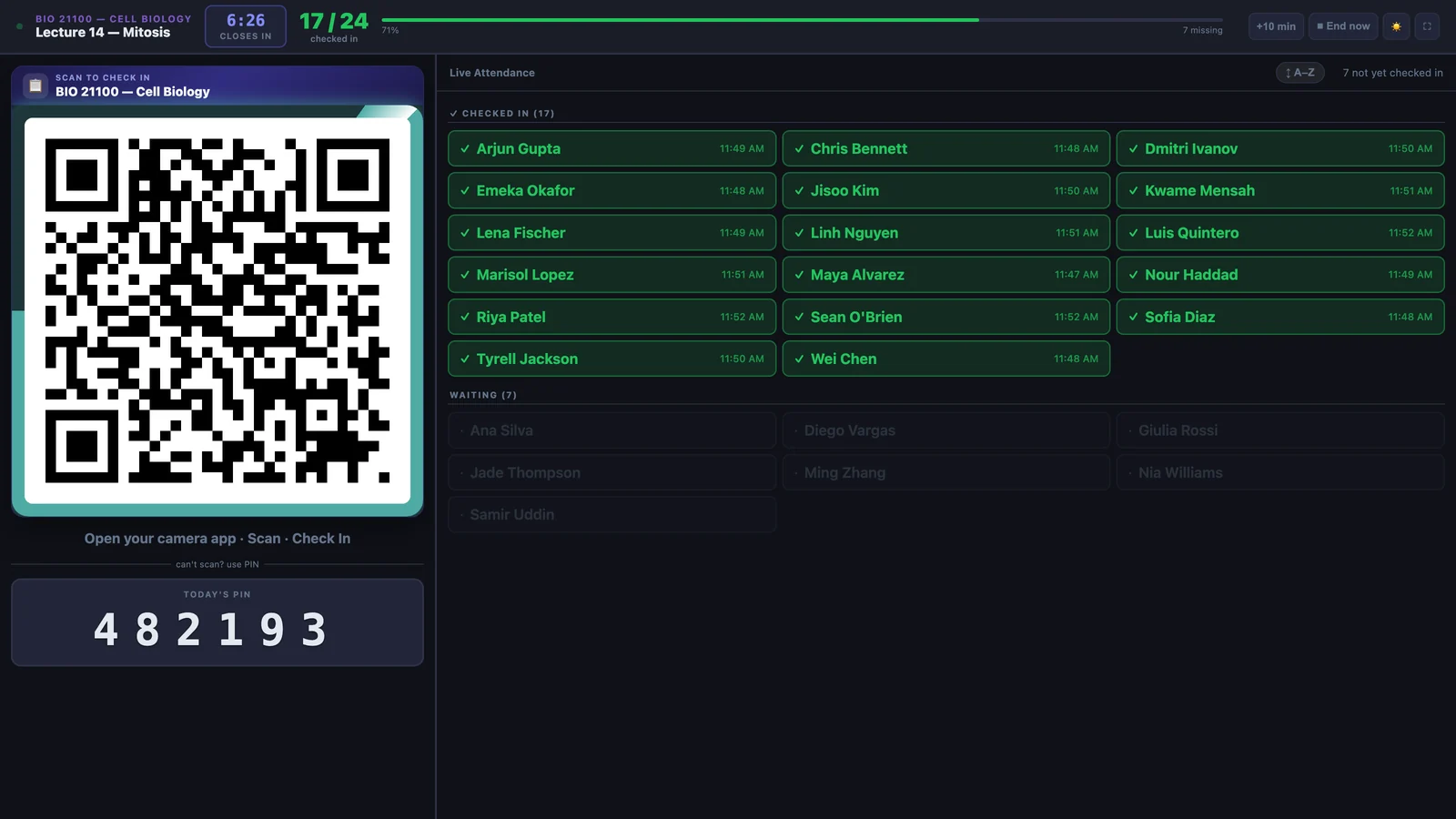
6:26Live classroom board
The room updates as students arrive.
Checked-in names appear with timestamps while the board tracks time remaining, progress, and who is still waiting. The session can close automatically.
- — Back-of-room QR and PIN
- — Live roster and countdown
- — Extend, reopen, or end early
Professor workflow
From roster to term record.
Import a registrar roster, start a timed session, make documented corrections, and export a complete attendance grid when grades are due.
- — Excel and CSV roster import
- — Manual overrides with history
- — CSV, Excel, and shareable reports
Icebreakers
Take the roll, then read the room.
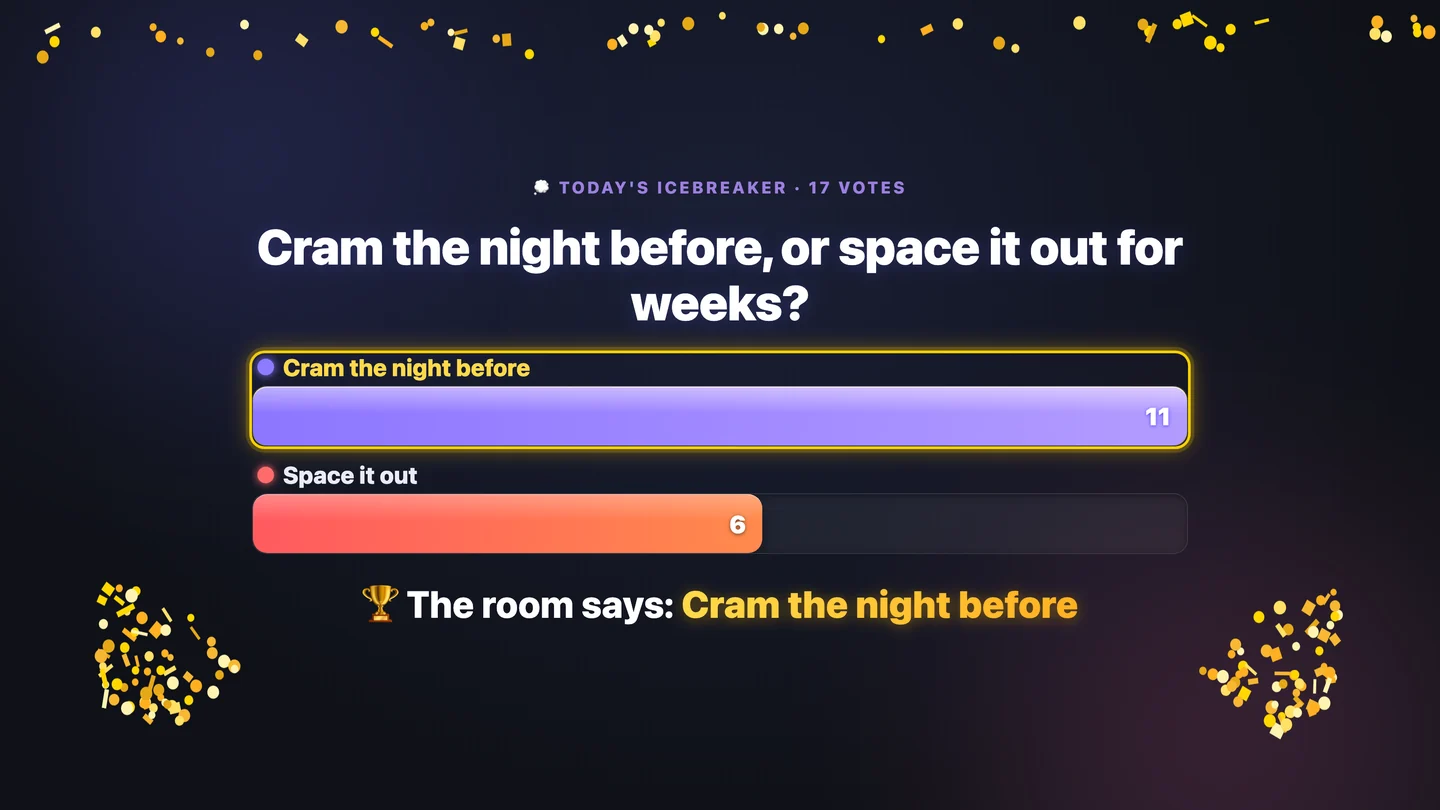
Attach an anonymous one-tap icebreaker or a custom two-to-four-option question to check-in, then reveal the aggregate result to the room.
- — 67 ready-made prompts
- — Custom multiple-choice questions
- — Anonymous aggregate results
Check-in verification
Signals for review, never automatic punishment.
Rotating codes, a classroom-radius check, device correlation, and timing signals help professors review unusual check-ins. Every result is marked Flagged, Review, or Clear.
- — Professor-controlled review
- — Forensic CSV, Excel, and JSON export
- — Location and device collection can be disabled
Rotating code and classroom radius agree
A signal needs professor review
Multiple signals need attention
No check-in is rejected or punished by a verification signal. The professor decides.
Institution view
Turn attendance into action.
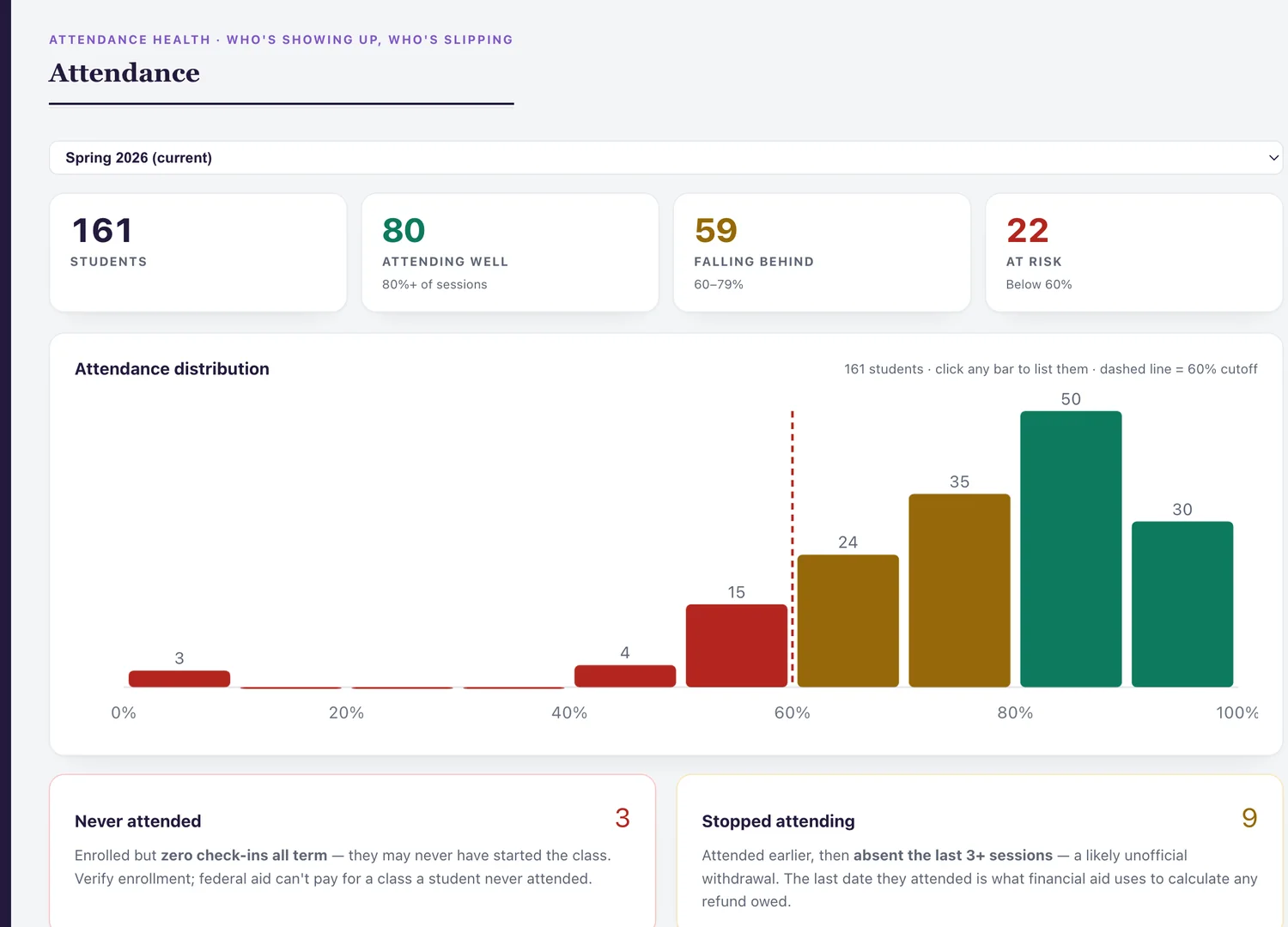
Campus roll-ups distinguish students who never attended from those who stopped attending. Built-in email outreach and pulse surveys put the signal to work.
- — At-risk attendance patterns
- — Personalized student email outreach
- — Research-informed retention modelling
Pulse surveys
Ask one campus question in the flow students already use.
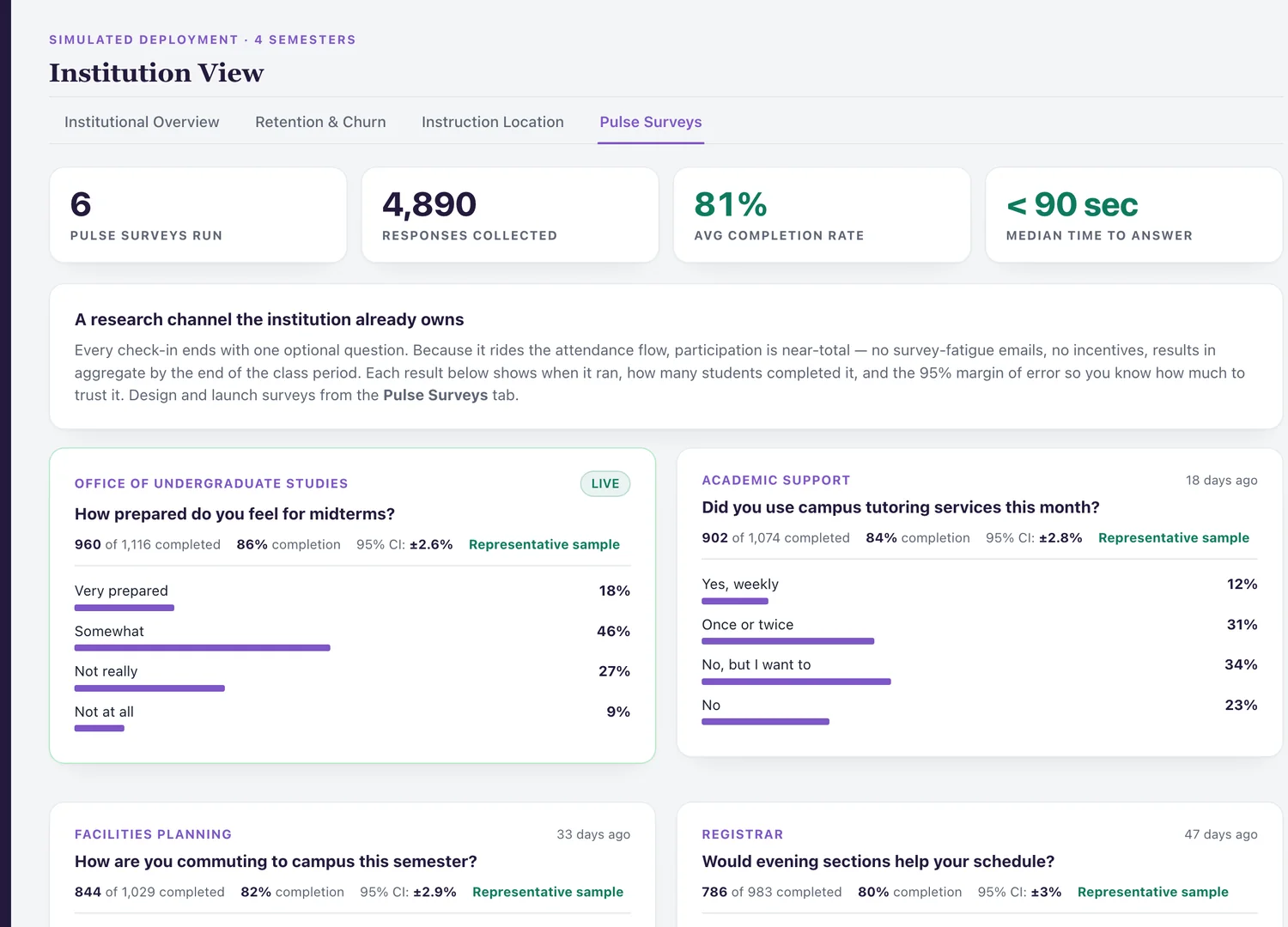
An administrator-authored pulse survey appears once across participating check-in screens, with completion rates, confidence intervals, and aggregate results.
- — One response per person
- — Representative or indicative sample label
- — No separate survey link
Deployment and control
Your infrastructure. Your policies.
Run AttendanceData in a single self-hosted container with no cloud dependency. Configure data retention, location collection, device collection, backups, and institutional branding.
- — No per-seat licensing
- — Daily backups and structured logs
- — Designed for FERPA-aligned deployment
Security & Trust
Built for institutional review.
Always free for instructors
Unlimited classes and sessions. No credit card, no expiry, no student seat limit.
Start freePlan a campus pilot
Review classroom flow, deployment fit, assumptions, and success measures.
Plan a pilot